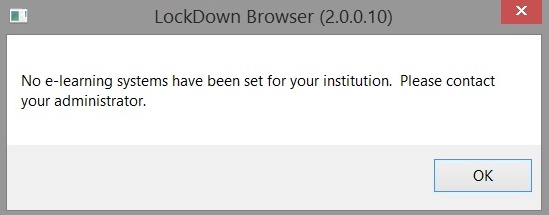
This article helps you resolve the "No E-learning Systems Have Been Set For Your Institution" error that may occur when starting LockDown Browser. The issue often arises if your Respondus Server Profile is hidden. By following the steps to unhide the profile, you can typically fix this problem and successfully launch the LockDown Browser.
Summary: The error "No E-learning Systems Have Been Set For Your Institution" occurs when starting LockDown Browser if the Respondus Server Profile is hidden, and unhiding the profile typically resolves the issue.
This error can result when starting LockDown Browser, if your Respondus Server Profile is hidden. Unhiding the profile typically resolves the problem.
Original source: No E-learning Systems Have Been Set For Your Institution | Respondus-Source-ID: 4409607254427 | Source-Updated: 2021-12-06T21:09:39Z
Comments
0 comments
Please sign in to leave a comment.