This article helps Canvas users understand and resolve the "Course (OK), Exam (Unknown)" error in LockDown Browser. It explains that the error occurs when the exam’s LockDown Browser settings cannot be detected, often because the page has not fully loaded before clicking the "Take Quiz" button. The article guides users to watch for the spinner indicator, which disappears once the page is fully loaded, allowing them to proceed.
Summary: The error indicates that the exam's LockDown Browser settings could not be detected, which may occur if the page is not fully loaded before clicking the "Take Quiz" button in Canvas. The spinner indicator in LockDown Browser shows when the page is fully loaded and disappears once loading is complete.
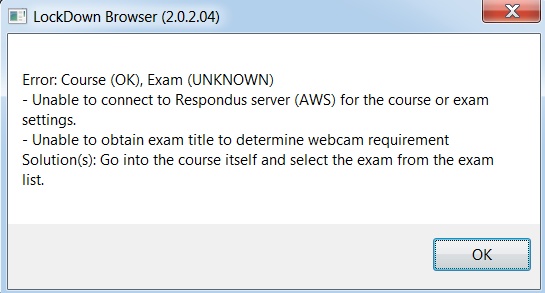
The above error indicates the the exam's LockDown Browser settings could not be detected. For Canvas users, this may be due to you not letting each page fully load before clicking on the "Take Quiz" button.
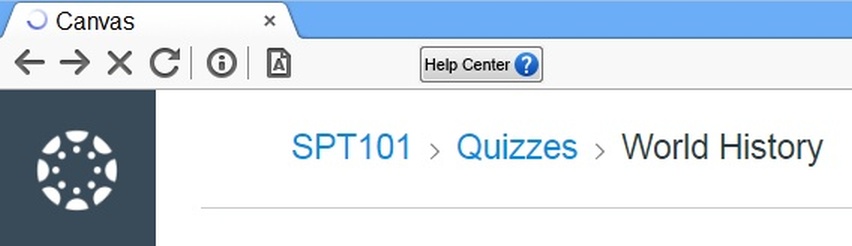
The open tab in LockDown Browser contains a “spinner” indicator that tells you when the page is fully loaded. In the case of the below example, the spinner is indicating the page has not yet finished loading.
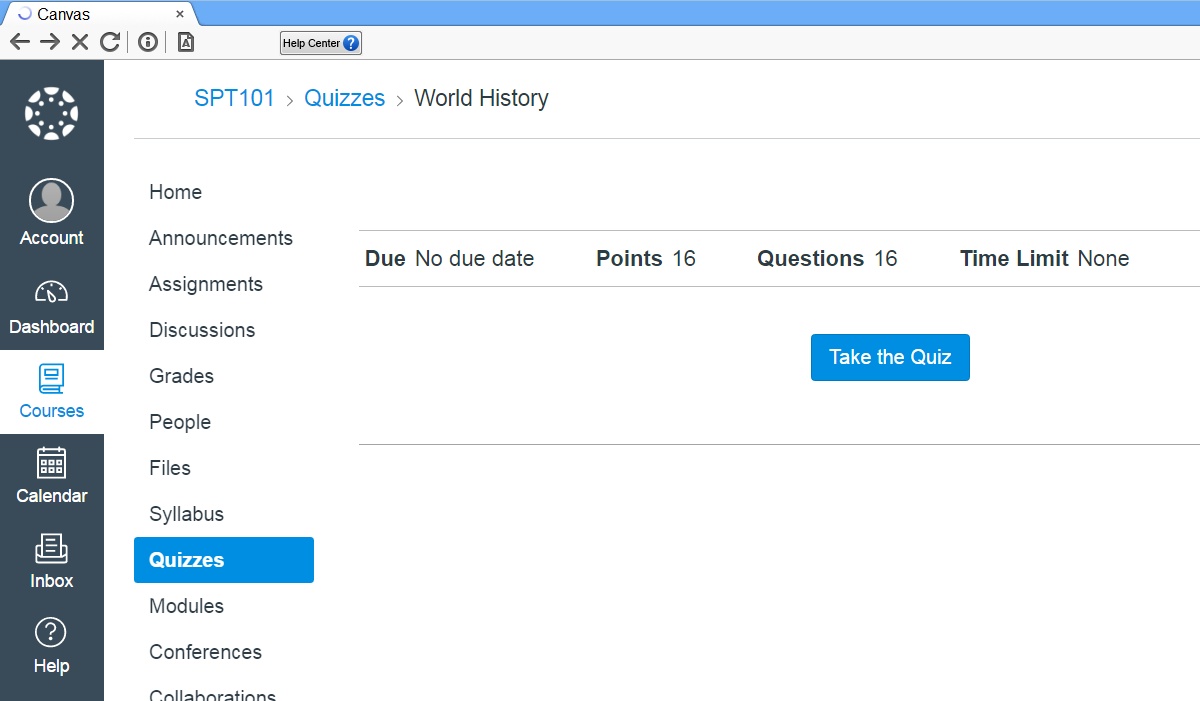
A closer look at the “spinner” indicator:
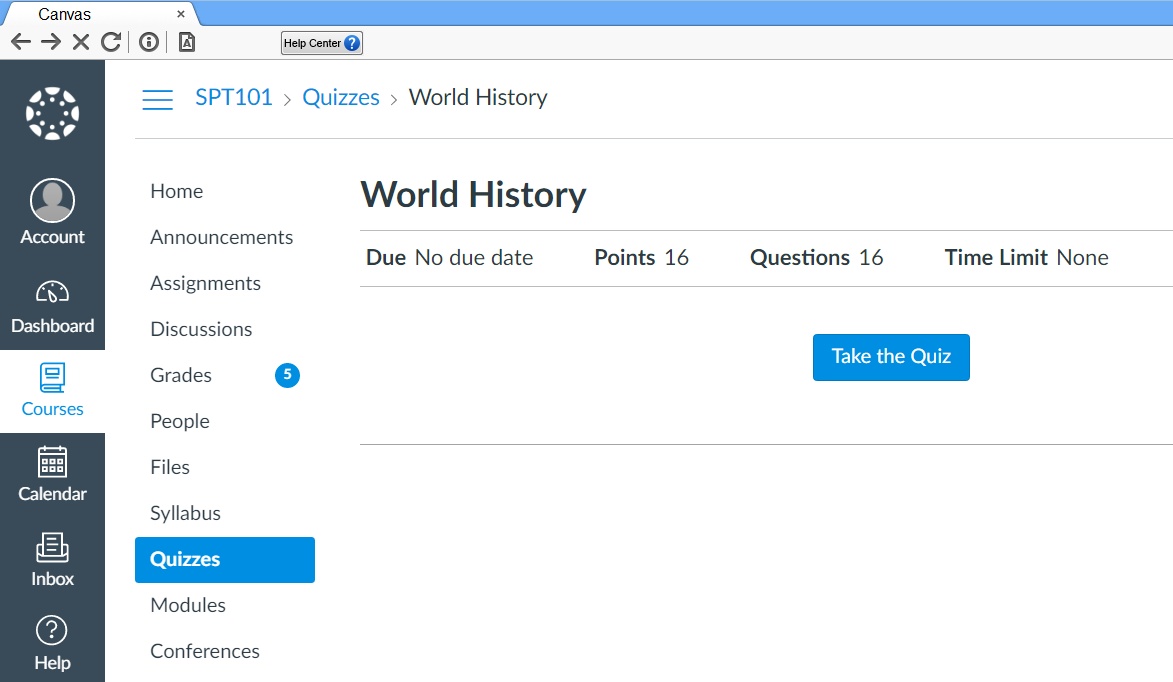
When the page is fully loaded, the spinner will disappear. You can now proceed.
Original source: Canvas - Course (OK), Exam (Unknown) | Respondus-Source-ID: 4409607317659 | Source-Updated: 2025-08-07T15:05:08Z
Comments
0 comments
Please sign in to leave a comment.